Fully automated file synchronization
Megasync is a file synchronization app developed by Mega Limited. This tool enables you to easily perform automated sync by creating a path between a certain local source folder in your computer and the MEGA cloud drive. Its MEGAsync cloud account can support up to 50GB of data storage, making it a great choice for backing up all your important files. On top of that, it allows you to stream files directly from the MEGA cloud or a file link.
Top Recommended Alternative

Seamless and customizable synchronization
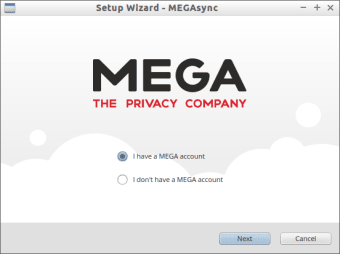
Megasync requires every user like you to create an account and sign up in order to utilize the functions and features of the program. Its user interface is designed to be as simple and straightforward as possible that even beginner or non-tech savvy users can smoothly run this tool instinctively. Once you have logged in, all you need to do is copy or update the files you aim to synchronize in the local dedicated folder. Afterward, the transfer is done instantly.
Megasync allows you to configure your cloud drive by creating specific directories that will help you to sort your files with ease. Keep in mind that this utility program also enables you to sync any type of file. In addition, you can also customize your cloud space by creating new folders and setting limitations to the bandwidth. When you are synchronizing files, you are offered the option to perform a full cloud account update or transfer files to selective folders.
The synchronization process in Megasync is continuous and can be run in the background without interfering in other apps performance. You can check it from time-to-time and view the status of your file synchronization. Moreover, you are given the power to press pause and cancel the synchronization any time you want.
A reliable file sync tool
Megasync is one of the most trusted file synchronization utility programs. It gives you a great platform to securely back up your files, utilizes your online storage, creates document duplicates, executables, databases, and other essential items. Furthermore, it is a recommended app because you can fully take control and manage the transfers, network parameters as well as mega links.